It is easy to mistake an unfinished order for a checkout problem. A camera shopper can reach the basket and still be unsure about the lens package, a connection requirement or what will actually arrive.
If product visits and basket additions are not becoming the orders you expected, a shorter checkout might help. First establish what is stopping a suitable purchase. Technical questions and ordinary retail conditions meet here, and a working checkout cannot answer a product question you have left unresolved.
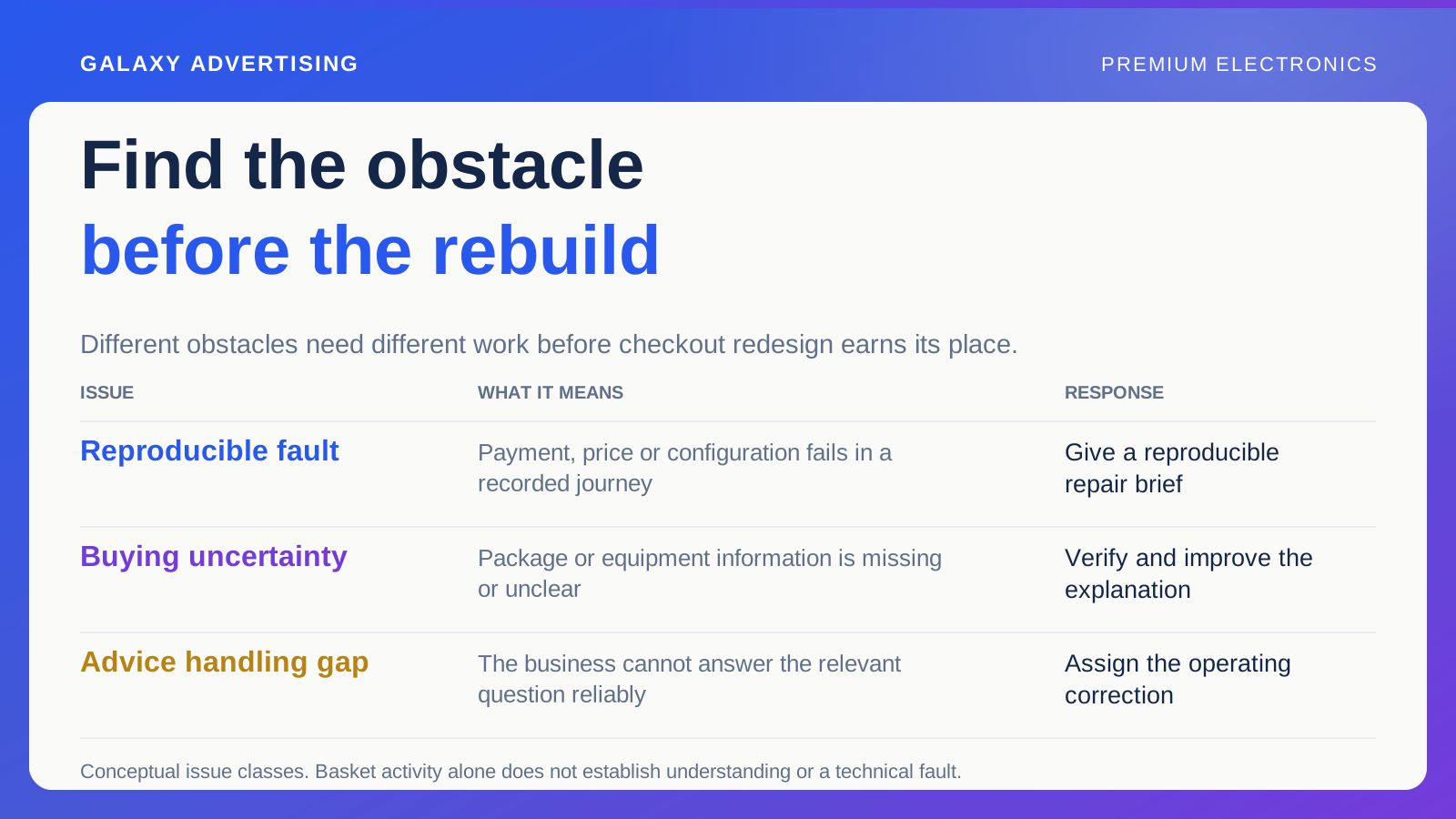
Separate broken functions from unanswered questions
Start with faults you can reproduce: an unavailable payment route, an unexpected price change or a broken variant selection, where someone chooses a configuration. Those are different from a theory about why a shopper hesitated.
Record the product, device and steps for each verified fault. Give your developer enough detail to reproduce it. Make checkout easier is a wish, rather than a repair instruction.
List unresolved buying questions separately. That keeps a conversation about confidence from delaying an obvious fix. It also stops every incomplete purchase becoming a supposed technical defect. You can recommend both kinds of work without pretending they solve the same problem.
Rebuild the offer as the customer saw it
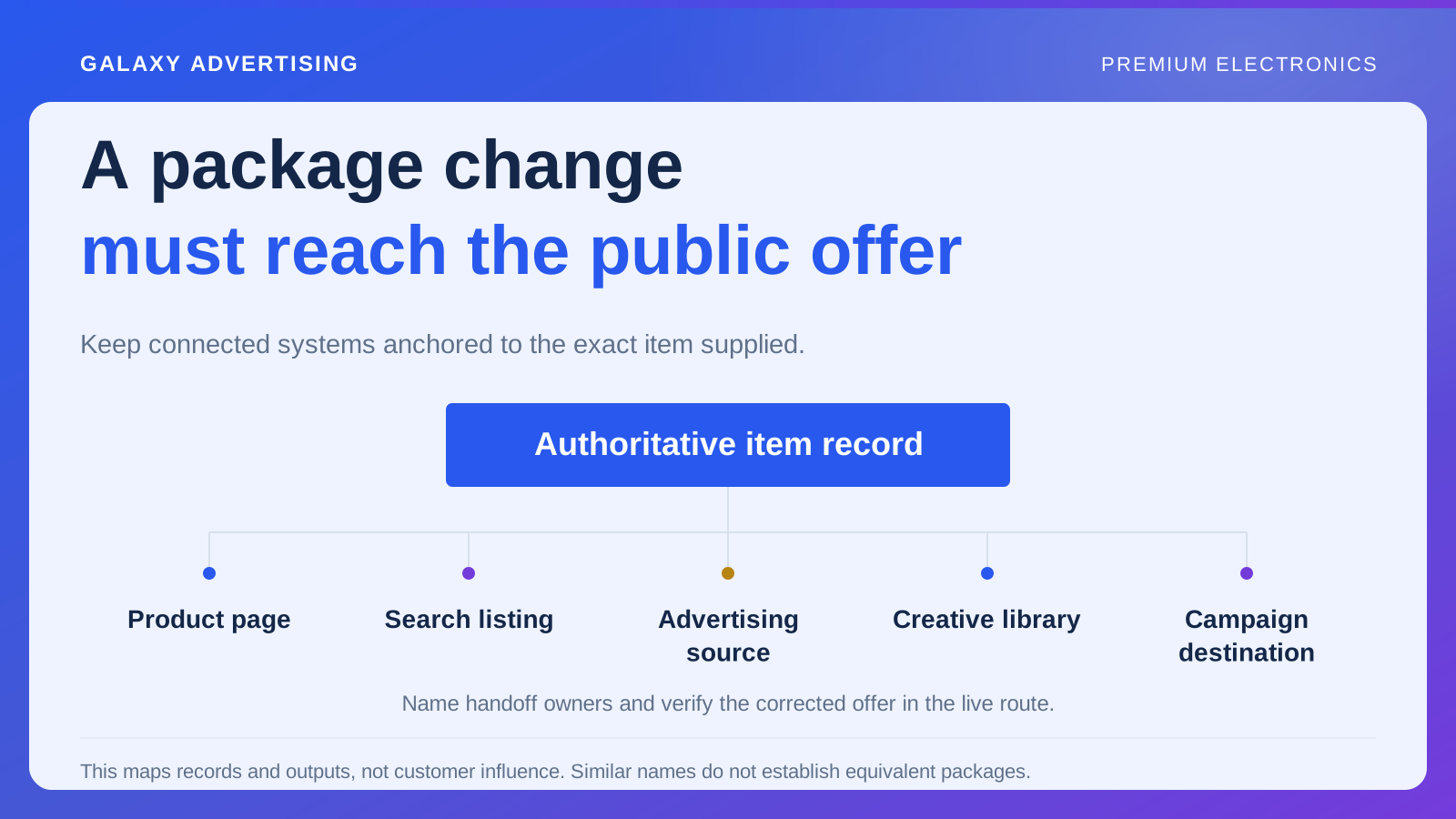
Identify the product, selected configuration, included components and advertised price. Compare them with the basket and information along the route. An add to basket event proves the action happened; it does not establish that the person understood the package.
Take a hypothetical camera kit. Is the selected lens clearly named? Does the image change with the package? Someone might add it to the basket simply to discover which version the displayed price covers.
Look for information arriving late. An additional delivery charge, limited service arrangement or missing accessory can change the offer after apparent purchase intent. The correction may belong before checkout, where the expectation forms, rather than inside it.
Start with the questions customers actually ask
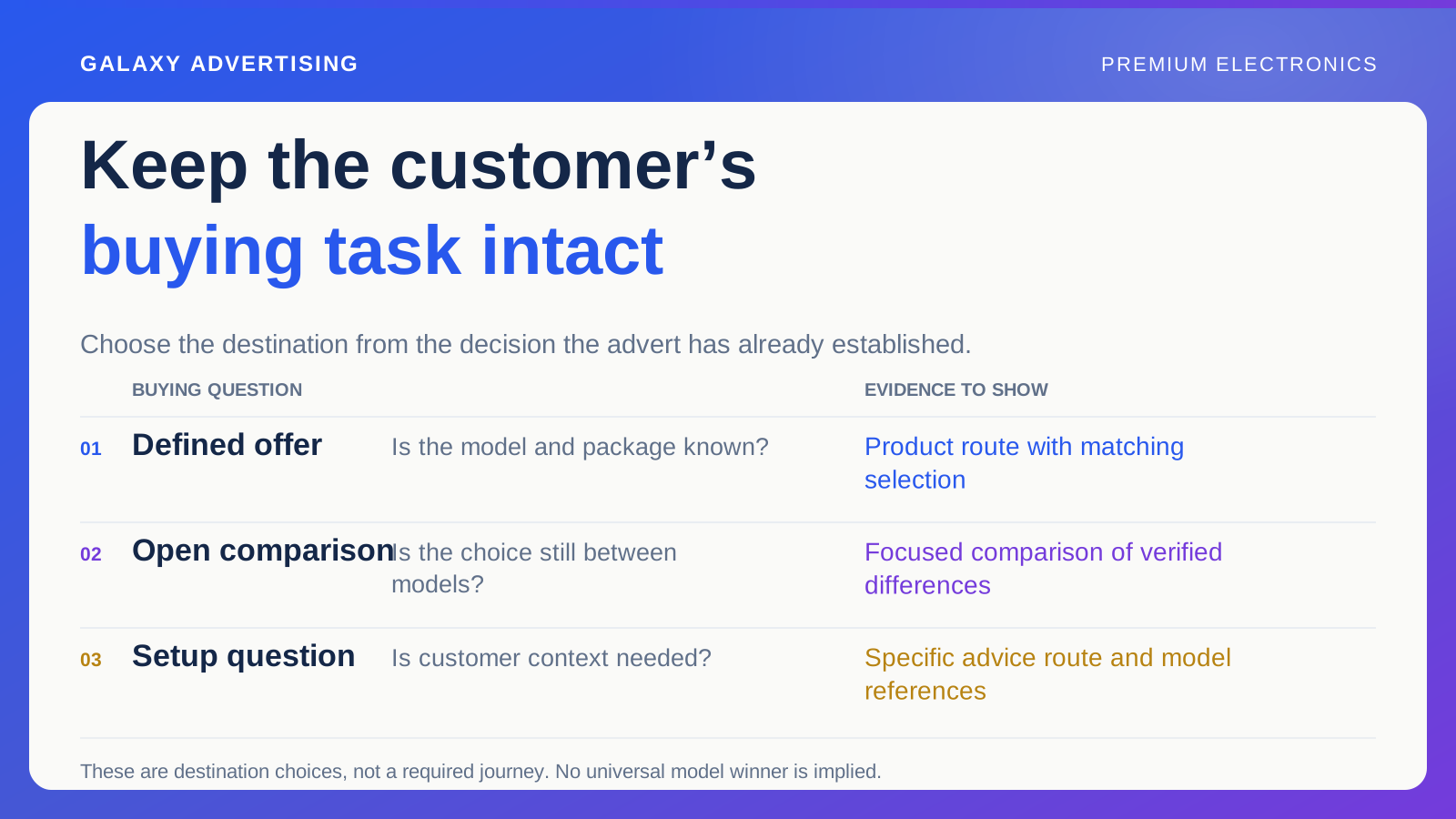
Review a manageable sample of enquiries and adviser notes. Look for things a suitable buyer needs answered before committing, such as the documented relationship between equipment or which components come with the package.
You do not need to publish every question anyone has asked. Prioritise those relevant to the promoted product that could plausibly explain the uncertainty you are seeing. The audit needs to lead to a decision, rather than an encyclopaedia.
Check answers against the appropriate model information. A reassuring compatibility claim can make the route feel smoother while creating a worse order if it is inaccurate. The aim is a suitable purchase. Removing every moment of consideration is not the same thing.
Walk the phone journey without shortcuts
Open the same destination a campaign visitor receives. Check whether specifications, package contents and the contact route are readable and usable on a narrow screen.
Try to leave your catalogue knowledge out of it. A colleague who knows where the answer is hidden can navigate a difficult page far more easily than a new visitor comparing similar model references.
Change a configuration and return from the basket as a customer might. The opening state can look coherent while later interactions produce the wrong image or an unclear price. Record obstacles in the order you meet them. A desktop screenshot cannot tell you whether the whole route works.
Include the conversation after the click
Some electronics purchases reasonably involve a question before the order. Check that the contact route makes that step understandable and gives staff the product reference the customer is considering.
A vague contact invitation can make people repeat themselves. A more useful route identifies the model and asks for the information needed to answer, without putting an excessive form in front of basic assistance.
Then review what happens to the enquiry. If your business cannot consistently answer a relevant question accurately, redesigning the website will not close that operational gap. Give the issue to the team that can change it.
Compare the handling with the information visible when the question was asked. A later page correction can make an earlier enquiry look unnecessary, even though the detail was missing at the time. Save the relevant version or a short record of the gap. Customers cannot reasonably be blamed for failing to find an answer you had not yet published.
Explain why each finding matters commercially
Prioritise by evidence and effect on the offer. A verified mismatch in a heavily promoted package is a different proposition from an untested preference about decorative layout. Treat them accordingly.
Look at relevant orders, returns and enquiries where available. More purchases of an unsuitable configuration can improve a narrow conversion measure while creating avoidable costs later. The audit should retain that consequence.
Keep estimates and assumptions visible. You can explain why an obstacle matters without inventing a precise revenue gain. State what you observed, the consequence your correction aims to prevent and how you will check the result. That is a more defensible recommendation than a confident number with no sound basis.
Give repairs and tests different jobs
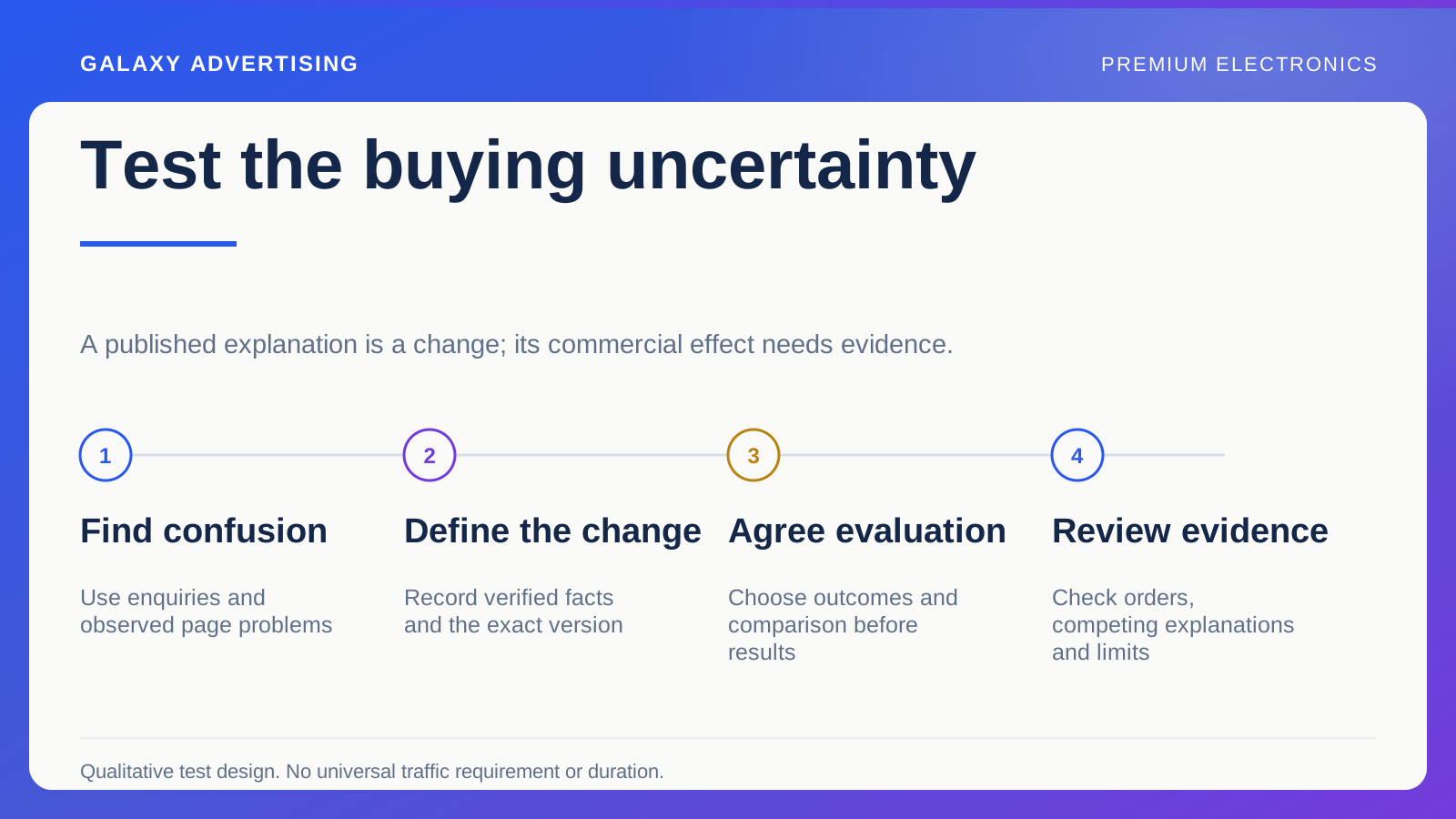
Fix demonstrated faults and inaccurate information. For an explanation or layout change whose effect is still uncertain, design a test. Each action needs an owner and a clear description of completion.
Keep the original evidence so you can establish whether the actual problem was resolved. Delivering a redesign on schedule does not prove that the customer can now answer the question that stopped them.
The headline funnel tells you where activity changed. Following the offer and the unresolved decision helps you work out what to do about it. You may find a small but consequential information correction, a gap in advice handling or a genuine checkout fault. Let the customer's difficulty determine the work, rather than let a proposed rebuild determine the diagnosis.